Instructions reviewed October 13, 2026. The pictures and pouring clip are from September builds. Controls and balancing may change before release. The prompts in your build take priority.
Super Basic Studio02
Your First Shift
Thirty nights. One family dive bar. Your name on the deed if you can keep it together.
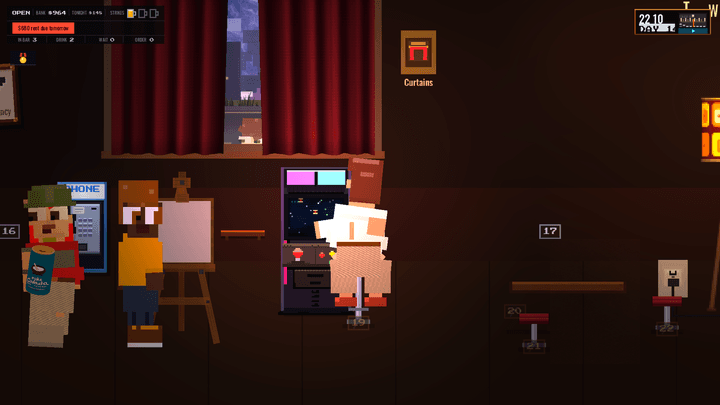
Keep an eye on the bank and strike mugs at the top left. The clock is at the top right.
Read the hand. Check the House and Wild Cards during setup. They change how tonight plays.
Learn the route. Take the tour on your first night. Find the taps, well, cooler, sink, books, and register before opening.
Open the doors. Follow the sign’s prompt when you are ready. Notice new faces, take orders, then make their drinks.
Make it to tomorrow. Clean up during quiet spells and keep enough money for rent. Survive 30 nights to reach the ownership milestone.
The first rule: acknowledge the person waiting.
Super Basic Studio03
The Controls
These are the default controls. Each lesson lists keyboard and controller inputs together. Inside a station, some buttons have a different job.
Keyboard & Mouse
Use the keys below on the bar floor. In stations, click an item or use the direction keys to select it, then follow its action prompt.
Controller
Button names show Xbox / PlayStation labels. L3 and R3 mean pressing the left and right sticks. LT / L2 is the left trigger; RT / R2 is the right trigger.
On the Bar Floor
Action
Keyboard & Mouse
Controller
Move
W A S D / arrows
Left stick
Run
Hold Shift
Hold LT / L2
Go flat out
Hold Shift + Ctrl
Hold both triggers
Jump
Space
A / Cross
Use a station
E
Y / Triangle
Check an ID
C
RB / R1
Take order / serve / settle tab
R
X / Square
Charge a drink slide
Hold F
Hold R3
Read tonight’s cards
N
Directional pad up
Wait while standing
B
B / Circle
Pause menu
Esc
Start / Options
For help, press F1 on keyboard. On a controller, press Start / Options and choose Controls. See Recipes and Practice for the book.
Super Basic Studio04
IDs and Orders
A greeting buys you more time than a perfect drink nobody asked for.
Check the ID. Approach a new patron and press Keyboard: CController: RB / R1. Check before selling alcohol or pull tabs. An underage guest can still have a soft drink.
Take the order. Press Keyboard: RController: X / Square. Taking the order gives you more time to make the drink.
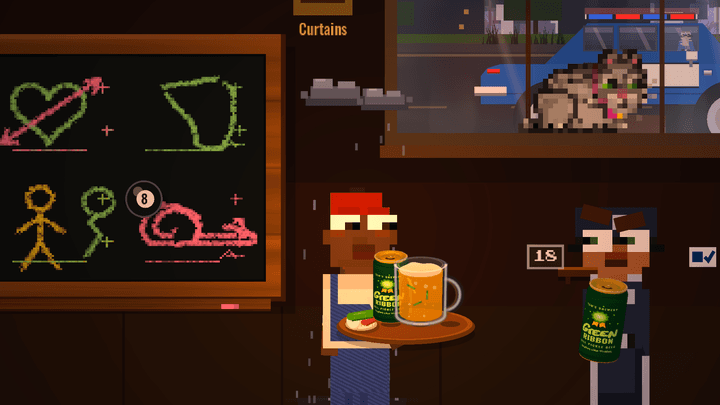
Read the guest check. Match the seat number to the customer. The drink icon points you toward the taps, cooler, wine station, or well.
Finish the whole request. Some later orders contain several items. Deliver the remaining drinks, food, or tickets shown on the check.
Guest Check
Seat numberWho it belongs to
Item nameWhat they asked for
Drink iconWhere to make it
Super Basic Studio05
Pouring a Beer
Read the label. Watch the marks. Know when to let go.
Actual game capture · Silent, 7 seconds · Press play to watch.
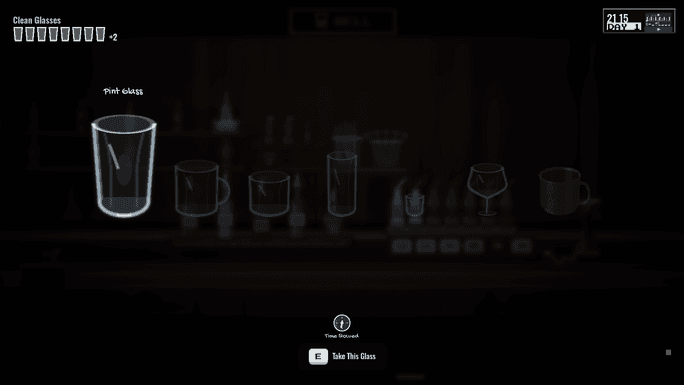
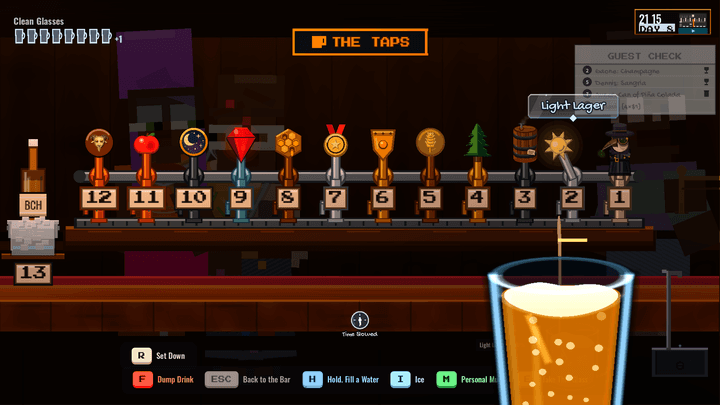
Choose the right tap. Enter with Keyboard: EController: Y / Triangle. Select a glass or beer with the left and right arrows, a mouse click, or the controller’s directional pad or left stick. Use the same action button to take the selected glass.
Hold to pour. Hold Keyboard: EController: Y / Triangle on the selected tap. Watch the fill meter rise. Clicking a tap selects it; the pour button starts the flow.
Release between the marks. Let go in the sweet spot. Watch the meter each time. Cards can change the timing.
Start with the glass your recipe calls for, then use the well to build the drink.
Check the recipe. Use the book to read the glass, ingredients, ice, and finish. Pick the correct glass at the well. The well’s recipe card also shows the target recipe and your live mixture.
Build in parts. Select an ingredient with the direction keys, mouse, directional pad, or left stick. Hold Keyboard: EController: Y / Triangle to pour. Watch the proportions as you go.
Finish the order. Add the requested ice and garnish; use the shaker when the recipe calls for it. Ice takes up room in the glass, so watch the fill meter as well as the recipe.
Inside a Station
Action
Keyboard & Mouse
Controller
Select an item
Arrows / W A S D / click
Directional pad / left stick
Pour / use selected item
E (hold to pour)
Y / Triangle (hold to pour)
Set drink down
R
L3
Dump drink
F
R3
Pour water
Hold H
Hold LT / L2
Add ice
I
RT / R2
Leave the station
Esc
B / Circle
These are common station actions. Selection and special tools have their own prompts. Use the wine station for wine and bubbly, or the cooler for packaged drinks.
Super Basic Studio07
Serving Your Guests
One trip can carry more than one order. Match each delivery to its guest.
Walk it over. Carry the finished drink to the right patron. Press Keyboard: RController: X / Square to hand it over.
Or slide it. At the bar, hold Keyboard: FController: R3 to charge a slide, then release. Direction and strength matter. A missed drink can become a mess.
Use the tray. It carries up to four drinks. At a station with the tray, use Keyboard: RController: L3 to load your glass. Follow the carry prompt, then serve the matching guests.
Collect the tab. Some guests pay as they go; regulars can run a tab. When they are ready to leave, settle up with Keyboard: RController: X / Square.
Water Is on the House
Plain water is safe to offer even when a guest ordered something else. It does not replace their pending drink, earn money or tips, or cause a wrong drink penalty. Their drink and food patience pause while they sip, then resume without a refill. If they ordered water, it completes that request normally.
Super Basic Studio08
Wash the Glasses
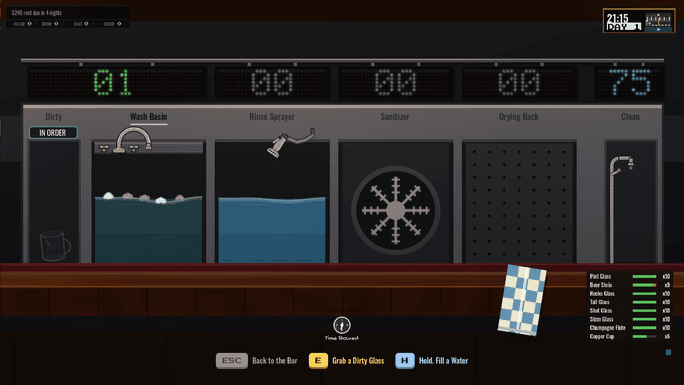
Served glassware comes back through the sink. Your clean stock is finite.
Keep checking the rack. Empty racks mean you cannot pour another round into that glass type.
Work the sink. Enter with Keyboard: EController: Y / Triangle. Select the basin with the direction keys, mouse, directional pad, or left stick. Hold Keyboard: EController: Y / Triangle to wash through the dirty pile. You can also hold the left mouse button on the basin.
Let the glasses return. Washing and drying put them back into circulation. Check which types your next orders need. Leave with Keyboard: EscController: B / Circle.
Use the Quiet Moments
Clear empties and attend to spills before the rush. A dirty bar affects the mood and your tips. If service stalls, check the glass stock before assuming a station is broken.
The glasses don’t wash themselves. Usually.
Super Basic Studio09
Kegs and Garnishes
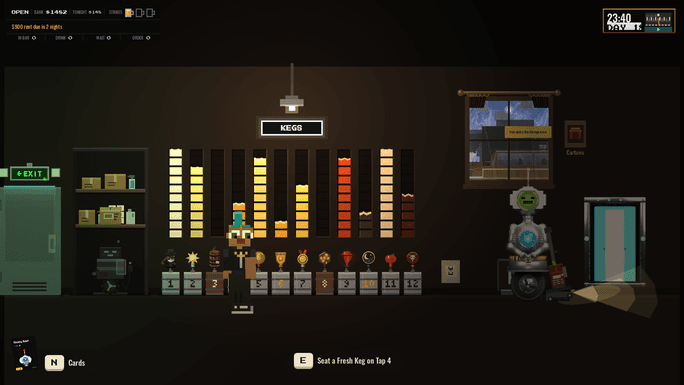
The cellar keeps its keg numbers. Current taps show stock gauges instead of number plates.
Notice the empty tap. A depleted keg stops that tap pouring; it does not stop the whole bar.
Go to storage. Find the matching numbered keg on the cellar wall and use Keyboard: EController: Y / Triangle at the swap prompt.
Get back to service. Check the guest list before starting your next drink.
Prep the Small Stuff, Too
Fruit bins run out. At the cutting board, choose fruit with the direction keys, mouse, directional pad, or left stick. Use Keyboard: EController: Y / Triangle to place, slice, and store it as prompted. Check the stock before trying to finish a recipe that needs fruit.
Super Basic Studio10
Rent and Strikes
A full room is nice. A paid rent bill is better.
Watch the Strike Mugs.
Protect the Bank
The bank is the money available for rent, supplies, and upgrades. Tonight’s takings are only one part of the picture. Check the register and read the due amount before spending in the market.
Keep Mistakes Small
Wrong drinks, ignored orders, and other service failures can add strikes. Some mistakes add part of a mug. The starting limit is three full mugs; cards can change it. Reaching the limit ends the run even if you have money left. A guest leaving over slow service may still accept an apology before reaching the door. Use the serve action while they are in reach.
Make Rent
Rent comes due every five nights. If the bank cannot cover it, the run ends. Paying rent forgives up to one full strike, but it cannot rescue a run that has already failed.
After earning the deed, you can keep playing. The bills become operating costs and still come due every five nights.
Super Basic Studio11
Tonight’s Cards
Read tonight’s cards before you open.
House
Tonight’s Trouble
Read the nightly conditions before you open. Crowds, prices, equipment, and your usual routine can change.
Wild
Your Way Through
Check what a card does, how much it costs, and how long it lasts before buying it.
Five Places on the Rack
The rack holds five Wild Cards. At daybreak, you can bench and equip owned cards. A full rack means making choices; selling a card frees room when you want to replace it.
Read Before You Spend
The Night Market offers more ways to shape the run. Compare an upgrade with the rent money you will need. A reroll also costs money.
Super Basic Studio12
Recipes and Practice
Practice stopping inside the marked band before taking on a busy shift.
The Recipe Book
On keyboard, Tab opens recipes directly. With either device, visit the standing bookshelf and press Keyboard: EController: Y / Triangle, then choose the recipe book. Recipes are discovered through play and rewards; you do not start knowing every cocktail.
Learn at the Well
Follow the well’s recipe card as you build a drink. Check the ingredients, proportions, ice and finish before serving. The separate Test Your Pour drill is currently unavailable.
Learn it slow. Pour it fast.
Super Basic Studio13
Around the Bar
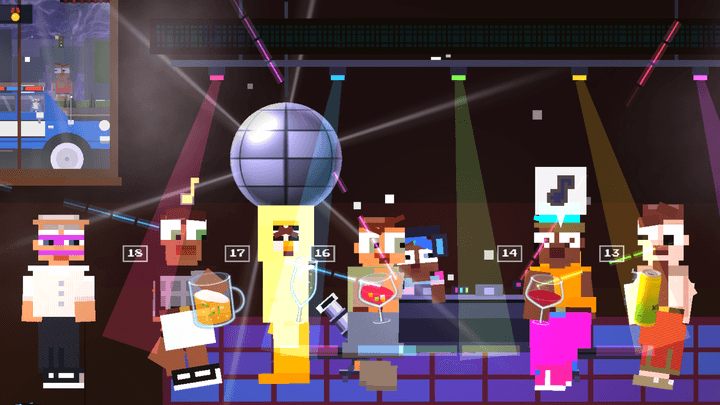
The DJ booth and dance floor give guests somewhere to spend the night.
Set the Mood
The TV, music, decorations, and the people who turn up give the room its character. Watch what is happening on the floor while keeping an eye on service.
Get to Know Your People
Regulars remember how you treat them. Guests form friendships and grudges, and familiar staff remember earlier shifts. When you hire help, watch their duties and breaks as well as your own orders.
There Is More to Unlock
Recipes, equipment, bar games, and other discoveries arrive as you play. Some fixtures and actions will not be available on a fresh save. Follow the prompts and take a look around between busy spells.
Take a Breather
When the bar is quiet, wash, restock, or explore. While standing still, press Keyboard: BController: B / Circle for wait mode; repeat it for faster time. Moving or interacting returns the clock to normal.
Super Basic Studio14
Saving and Getting Help
Save Your Shift
The game saves locally and has autosaves. Save at the payphone before leaving, and let the saving indicator finish. Keep backups of saves you care about. Steam Cloud, where enabled, is managed in Steam.
Make Yourself Comfortable
Open the pause menu with Keyboard: EscController: Start / Options for setup, sound, accessibility, and controls. Options include reduced motion and flashing, subtitle sizing, contrast, and brighter dark rooms. Adjust music and effects separately.
Look Up a Question
The Frequently Asked Questions pages cover common problems with drinks, controls, and recipes. We will add answers as more questions come in.
Still stuck? Send playtest feedback with your build, platform, and what happened. Our privacy policy explains saves, Steam services, and information you choose to send.
Super Basic Studio15
Frequently Asked Questions
Answers to common questions at the bar.
I can’t pour. What should I check?
Check for a clean glass, an empty keg, or a packaged drink still in your hand. At the taps, select a beer before holding the pour button. At the well, choose a glass before adding ingredients.
Check the seat number, the remaining order items, and what you are carrying. Stand near the matching patron and use the serve action. If a request has several items, the check stays open until you finish it.
Some controls change when you enter a station. On the floor, R on keyboard or X / Square on a controller serves a patron. Inside a station, R or L3 sets a drink down. Follow the prompt shown in your build.
Glass stock is limited. Served glasses return through the sink, so check the dirty pile and work through the wash and drying stages. Clean glasses go back into circulation. Keep the types needed for your next orders supplied.
Walk up to the standing bookshelf and press Y / Triangle. Choose the recipe book there. On keyboard, Tab opens recipes directly, or E opens the bookshelf. There is no separate controller shortcut for the recipe book.
Yes. The recipe book freezes the shift while it is open. To take a break, open the pause menu with Esc on keyboard or Start / Options on a controller. The separate Test Your Pour drill is currently unavailable.